
Typing the same details twice? How to choose your first automation
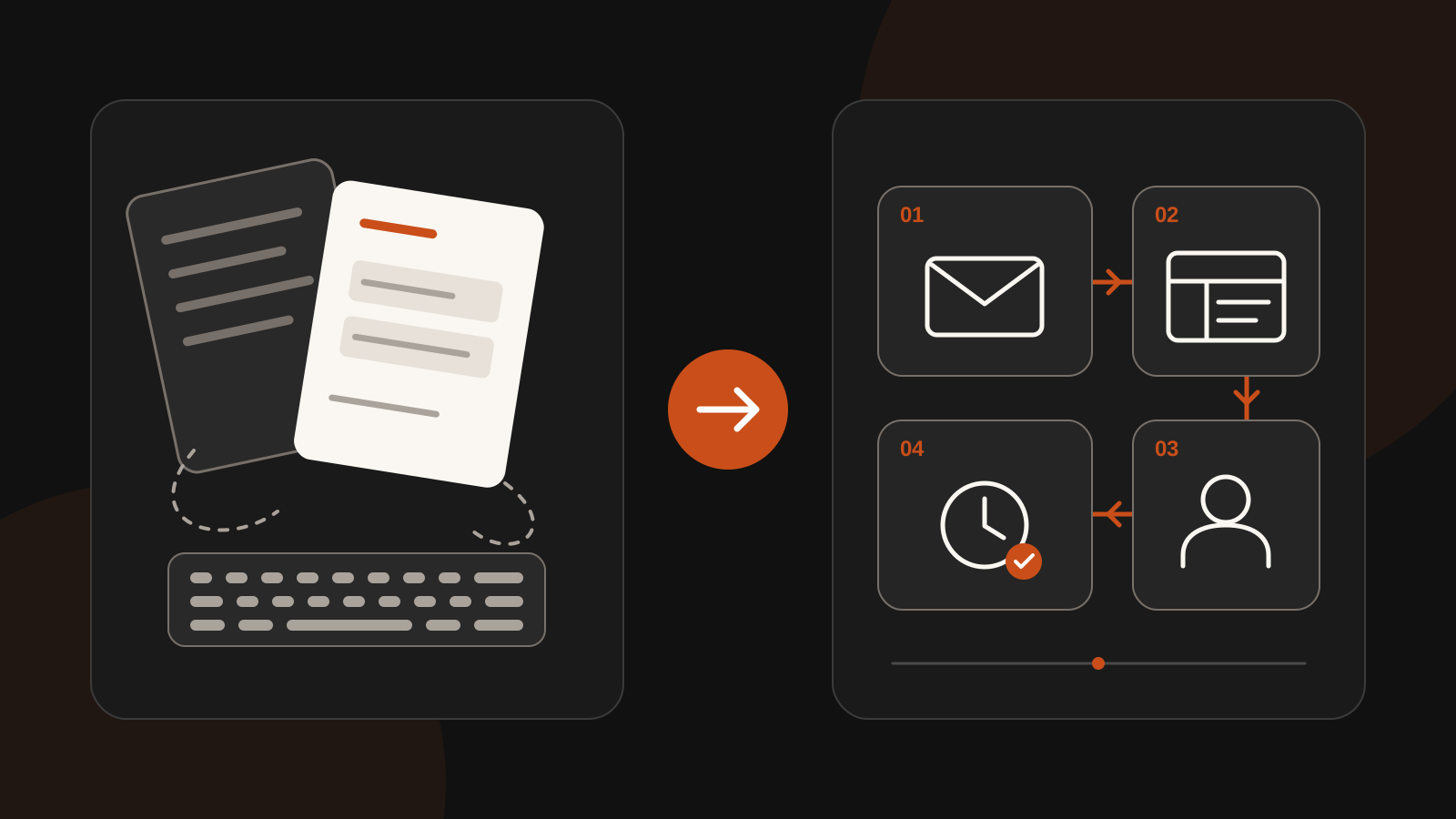
An enquiry arrives by email. You copy the name and phone number into a spreadsheet, create a task for a colleague and make a note to follow up tomorrow. Each action is small. Repeated every day, though, they take attention you could spend on customers.
Automation does not have to start with a new business system or a large AI project. A useful first step is one recurring task where you move information from one place to another in the same way each time. That gives you a manageable way to test whether connecting your systems actually helps.
1. Choose something small that you can explain clearly
Walk through an ordinary working day with a colleague. Where do people enter the same details again? Where does an enquiry wait for someone to forward a message? Which reminder gets created manually every week?
A good first task has a recognisable starting point, a clear result and few exceptions. For example: a completed enquiry form should appear as a new enquiry in your customer system. ‘Automate all our sales’ is too broad for a first step.
A useful test: can you explain the task in one sentence? ‘When a complete enquiry arrives, record the details and assign the follow-up to the right colleague.’ If you immediately need to add ten exceptions, start with a smaller part of the process.
2. Make the steps visible
Illustrative example — not a client case study: a small installation company receives enquiries through a website form. Someone currently copies the details and then messages a colleague. One possible automation could work like this:
- Receive the enquiry. The form supplies the agreed details, such as a name, contact information and the type of work.
- Record the details. One enquiry is created in the customer system, with a reference that prevents the same form submission from creating a duplicate if it is processed again.
- Notify the owner. The right colleague receives a notification with a link to the enquiry.
- Remind them to follow up. If the enquiry is still open after one working day, that colleague receives a reminder. If follow-up has already been recorded, the reminder is cancelled.
The colleague reviews the request and contacts the customer personally. The connection helps copy and pass on information; pricing agreements and the actual response stay with the team. The exact steps depend on what your existing systems support.
3. Fill in this worksheet before building anything
Copy these questions into a note and answer them together. Where possible, observe the work for a week instead of relying entirely on estimates.
- Task: which action do you want to improve? …
- Start and finish: what triggers it, and how do you know it is complete? …
- Systems and data: where does the information come from, where should it go and which fields are actually needed? …
- Frequency: how often does this happen in a normal week? … times.
- Time: how many minutes does each instance take, including checks and corrections? … minutes.
- Exceptions: when does the standard process fail to fit, and how often does that happen? …
- Owner: who checks the result and handles unsuccessful attempts? …
Multiply frequency by time to make the current manual work visible. Calculation example: twenty enquiries taking three minutes each add up to sixty minutes per week. That is not a promised saving: automation also needs setup, checks, maintenance and sometimes manual recovery.
Do not choose a task only because it happens frequently. A slightly smaller task with clear rules and few exceptions may be a more manageable place to start.
4. A fixed connection or help from AI?
For consistent fields and clear rules, an ordinary connection is often enough. A form might always have a phone-number field. AI does not need to interpret that value to copy it into the right field in your customer system.
AI can help when information arrives in a less predictable format, such as a freely written email. It can suggest an enquiry category or create a short summary. That interpretation can also be wrong. Agree what a person checks before anything goes to a customer or an important decision is made.
A missing detail, an unclear request or a technical error should visibly reach a member of the team. Automation that silently loses exceptions does not give you a clearer picture of your work.
5. Run a small test and keep a manual fallback
Start with one form, one team or one type of enquiry. Use clearly identifiable test data first. Check a normal enquiry, a missing field, a duplicate submission and a temporarily unavailable system. Does the responsible person receive a notification when something gets stuck? Can processing continue later without creating the enquiry again?
Write down how the team can temporarily work manually. Give the connection access only to the data it needs and use the systems your organisation has chosen for that purpose. Have the responsible person check the first real requests as they are processed.
After a period such as two weeks, review what is happening. Does processing, including checks, take less time? Are fewer corrections needed? Do any enquiries still get stuck? Compare similar requests and include maintenance time. This lets you judge the result against your own working day.
Start with one recurring chore
You do not need to connect everything at once. Choose one task, complete the worksheet and agree who checks the outcome. Once that process works well, you have a concrete basis for deciding whether another step would be useful.
Want to find out what is possible with the systems you already use? BigBase helps with system connections and automation. Get in touch and bring your completed worksheet so we can look at a suitable first step together.