
Send your own newsletter
Newsletters are a useful way to stay in touch with customers and other interested people. Our management system lets you create campaigns and quickly design and schedule individual newsletters. Campaigns and newsletters are different; here is how they work.
What is a campaign?
A campaign is a mailing list through which you send newsletters. Customers can subscribe to particular campaigns, such as Dutch or English newsletters, special offers or new products. They can join or leave several campaigns independently.
Select a campaign to see the newsletters already sent through it and those currently being prepared.
A good email strategy
A successful newsletter starts with a clear goal. Do you want to sell products or share the latest news? You also need a clear understanding of your audience.
Useful tips include:
- Keep it short and effective.
- Use a clear layout.
- Put important information near the top.
- Encourage readers to visit the website or webshop.
- Make it personal.
Design the content

Our “what you see is what you get”, or WYSIWYG, editor makes newsletter creation straightforward. Format the content much as you would in Microsoft Word.
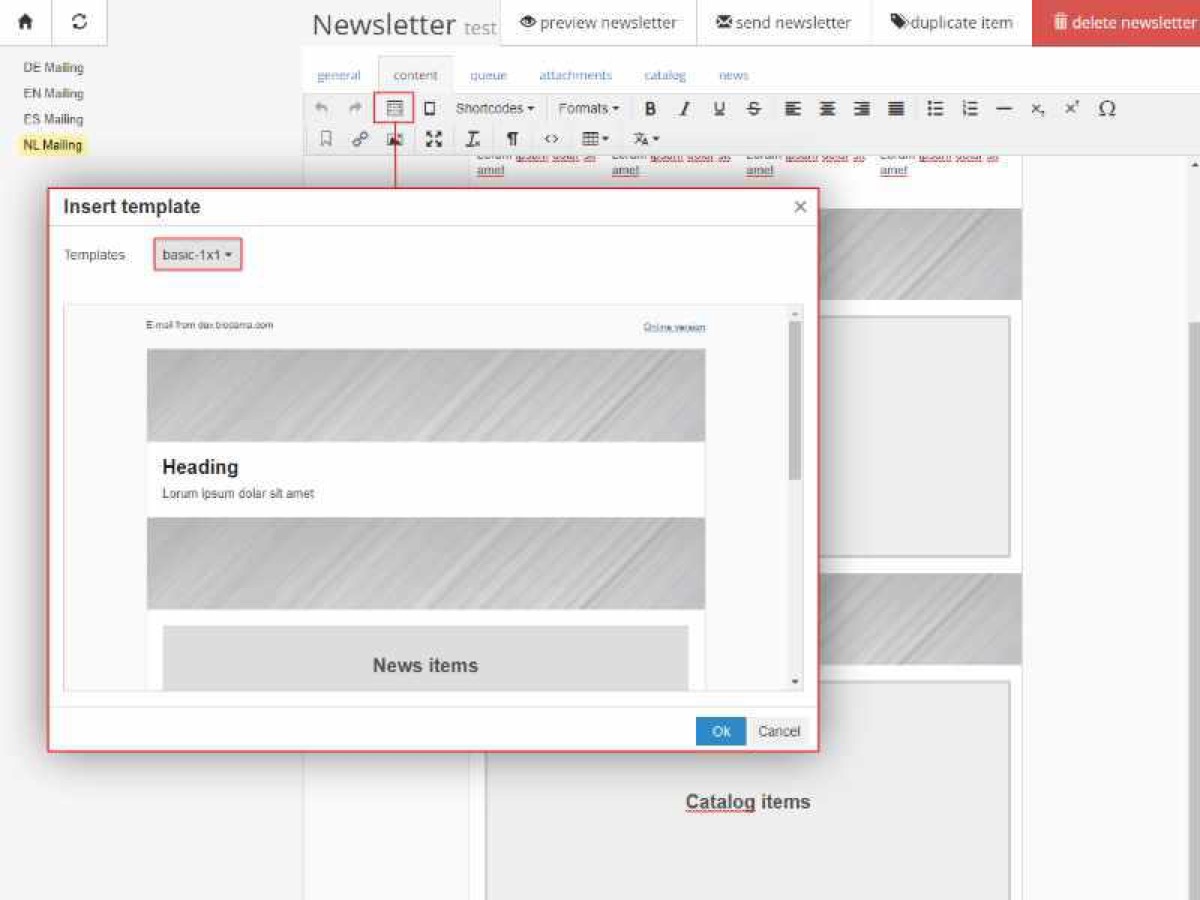
You can start with a template too. Templates let you add products or news by opening the relevant tab and selecting items. Click “Preview” to see the newsletter populated with those selections.
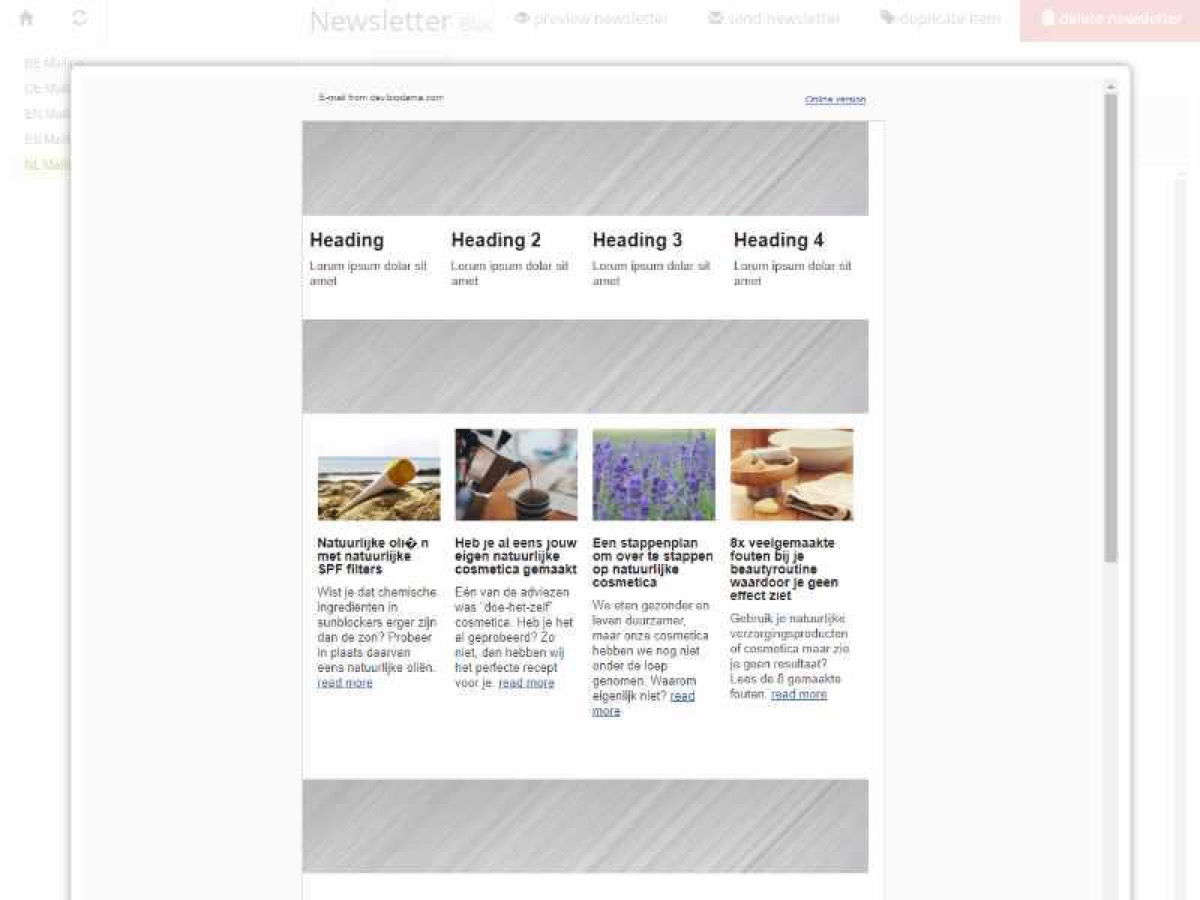
The preview shows how the message will look. Always send yourself a test email before sending it to customers.
Add recipients and send
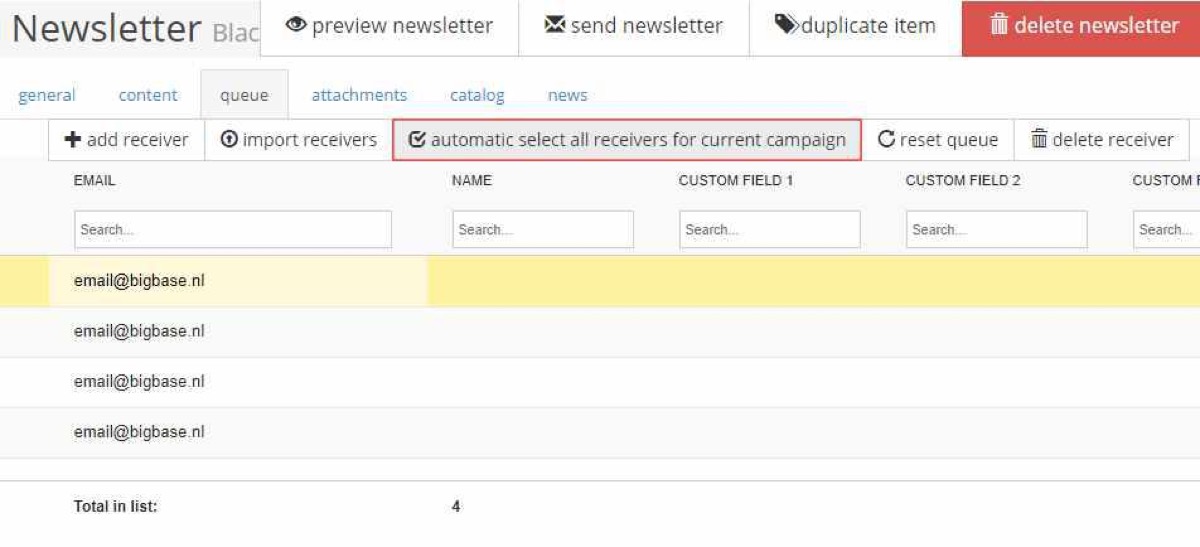
The “Queue” tab offers several ways to add recipients. If you use a sign-up form, click “Automatic select all receivers from current campaign”. You can also add recipients manually or import email addresses from a text document.
Send the newsletter manually or schedule it for later through the “General” tab.
The process at a glance
A successful campaign takes time and care, but we aim to make the process simple:
- Research your audience and make a plan.
- Create a campaign.
- Design a newsletter with the editor and templates.
- Add news or products.
- Check everything and send yourself a test.
- Add the recipients.
- Send or schedule the newsletter.

Your monthly email allowance depends on your subscription and settings. Contact us if you need a higher limit.