
Look up company details by VAT number

A VAT number identifies a business within the EU. When creating a new company or customer, you can use that number to import its details in one go.
Where do I do this?
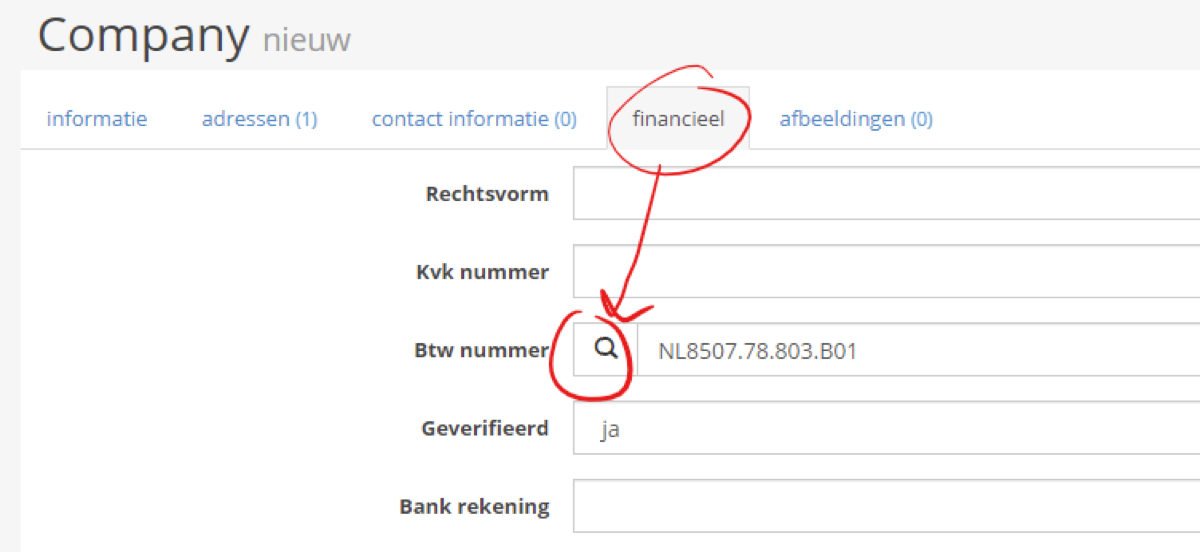
When you create a customer, a “Look up VAT number” button appears. Enter the country and VAT number, and you are ready to go.
You can also retrieve or correct details for existing customers. Open the “Financial” tab and click the search button beside the “VAT number” field.
Please note: if the button is not visible, you probably have an older system version. Contact us to schedule an update. In most cases, updates are included in your subscription at no extra charge.